
Introduction
Guest posts need more than useful information and a strong writing style. Their structure also affects how readers understand and navigate the content. Well-organized headings make an article easier to scan, while also helping search engines understand its subject.
Learning how to structure headings in guest-post content is especially important when writing for external websites. Every publisher has different editorial standards, audiences, and formatting preferences. Therefore, your headings should be clear, relevant, descriptive, and naturally connected to the article’s main topic.
A strong heading structure creates a logical path from the introduction to the conclusion. It also helps readers quickly find the information they need. When headings are planned correctly, guest posts can feel more authoritative and professional.
For SEO professionals, publishers, and content writers, heading structure should never be treated as an afterthought. It should be part of the content strategy from the beginning.
Why Heading Structure Matters in Guest Posts
Understanding how to structure headings in guest-post content starts with knowing why headings matter. Readers rarely consume online articles word by word. Instead, they scan headings, short paragraphs, and highlighted sections before deciding where to focus.
A useful heading structure gives readers immediate context. It tells them what each section covers and how that section supports the main topic.


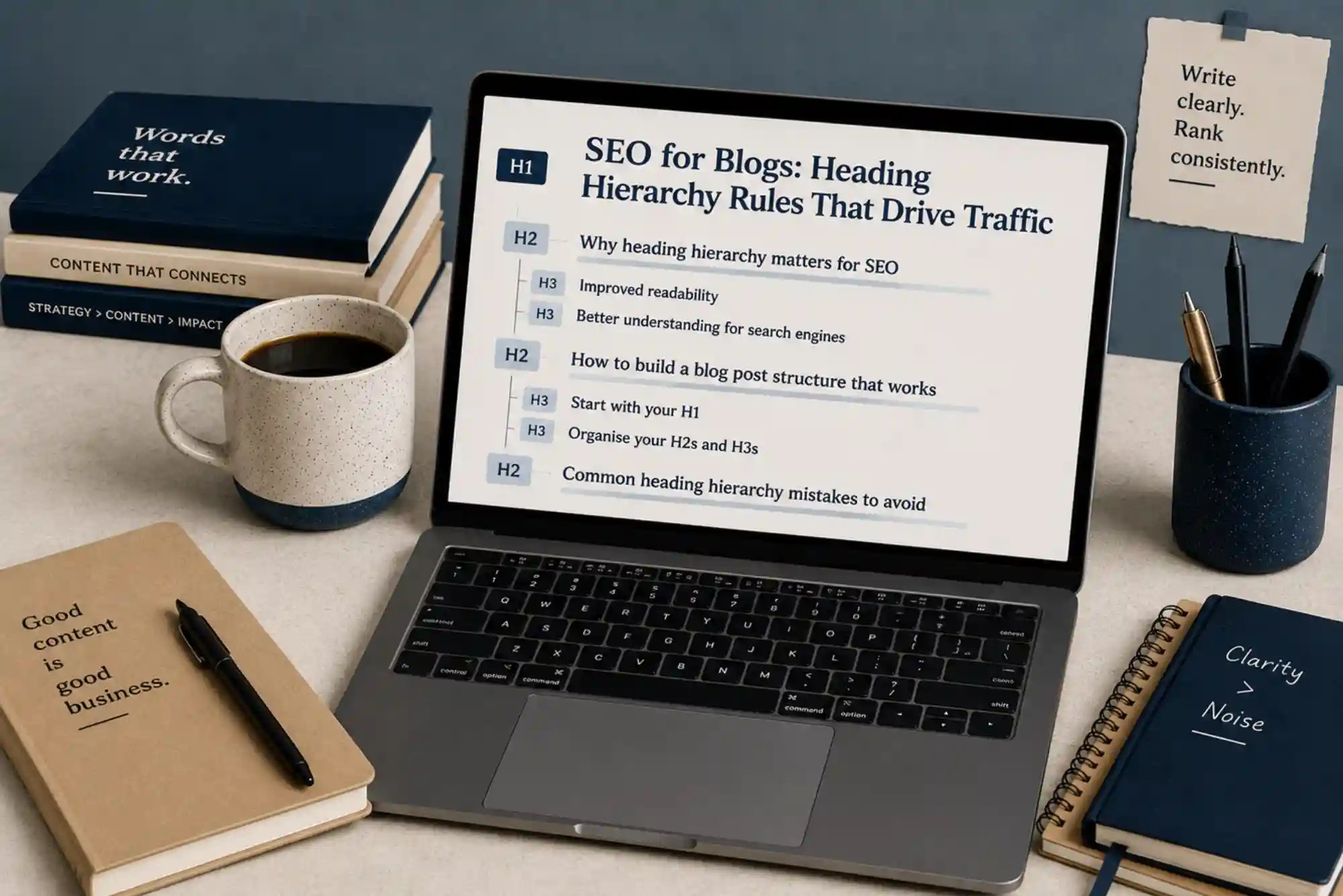
Headings also create visual hierarchy. The H1 identifies the primary subject, while H2 headings introduce major sections. H3 headings then explain supporting points within those sections.
This hierarchy makes complicated subjects easier to understand. It also allows writers to cover a topic comprehensively without creating one large block of text.
From an SEO perspective, descriptive headings can provide additional context about the page. They help search engines interpret relationships between topics and subtopics. However, headings should primarily serve readers rather than search algorithms.
Start With One Clear H1 Heading
The H1 is the most important heading on a guest post. It should communicate the article’s main subject clearly and accurately.
A good H1 should match the reader’s search intent. It should also make the article’s value obvious without sounding unnecessarily complicated.
For example, a weak heading might say:
Guest Posting Tips
A more useful H1 would be:
How to Structure Headings in Guest-Post Content
The second version immediately establishes the topic and expected value.
Generally, one primary H1 is enough for an article. Additional major sections should use H2 headings instead.
Keep the H1 Relevant to Search Intent
The H1 should answer the question implied by the reader’s search. Avoid creating a headline that promises something the article does not deliver.
If the article discusses heading hierarchy, the title should clearly indicate that subject. This creates consistency between the search result, introduction, and main content.
Use the Focus Keyword Naturally
Your primary keyword can appear in the H1 when it fits naturally. However, forcing the exact phrase into every heading can make the article feel artificial.
The goal is relevance, not repetition.
Build Major Sections With H2 Headings
H2 headings form the backbone of most guest posts. They divide the article into meaningful sections and guide readers through the subject.
When considering how to structure headings in guest-post content, think of H2 headings as the major chapters of your article.
For example, an article about guest-post headings might use sections covering heading hierarchy, SEO, readability, common mistakes, and practical optimization.
Each H2 should introduce a distinct idea. Avoid creating several headings that essentially repeat the same point.
A useful test is simple. If two sections contain nearly identical information, they probably need to be combined.
Make Every H2 Descriptive
Readers should understand a section’s purpose by reading its H2 alone.
Instead of using vague headings such as “Important Things,” use specific headings such as “How H2 Headings Improve Article Organization.”
Specific headings provide context before the reader starts the paragraph.
Arrange H2 Sections Logically
Your H2 headings should follow a natural progression.
Start with basic concepts before moving into advanced recommendations. Introduce the problem before explaining the solution. Then discuss implementation and finish with practical considerations.
This approach makes the article easier to follow.
Use H3 Headings for Supporting Information
H3 headings sit beneath H2 headings. They are useful when a major section contains several related points.
For example, an H2 about creating effective headings could include H3 sections about keyword placement, readability, length, and search intent.
This creates a clear hierarchy:
H1 → H2 → H3
An H3 should support the H2 immediately above it. It should not introduce an unrelated subject.
Avoid Skipping Heading Levels
Avoid jumping randomly between heading levels. For example, an H3 should normally belong to an H2 section.
Using an H4 directly beneath an H1 can create confusing structure. It may also make the article harder for readers and content editors to understand.
Proper hierarchy keeps the content organized.
Match Headings With Reader Intent
One of the most effective ways to understand how to structure headings in guest-post content is to start with questions readers want answered.
Search intent should influence your heading structure. If people search for a practical solution, headings should address the steps and considerations involved.
For informational topics, headings can answer common questions. For comparison topics, they can introduce the options being compared.
This approach makes the content more useful because every major section serves a clear purpose.
Think About the Reader’s Journey
Imagine what the reader wants to know first.
They may begin by asking what the subject means. Next, they may want to know why it matters. Then, they may need practical instructions.
Your headings should follow that journey.
A well-structured article feels almost conversational. Each section naturally prepares the reader for the next one.
Incorporate Keywords Without Keyword Stuffing
Keywords can strengthen topical relevance when they appear naturally in headings. However, every heading does not need an exact-match keyword.
For example, related phrases such as “guest-post structure,” “SEO headings,” “heading hierarchy,” and “content organization” can support the primary topic.
Semantic variations help create natural language. They also allow you to cover the broader topic without repetitive wording.
The focus keyword should appear naturally in the introduction, relevant headings, and body copy. Avoid inserting it simply to increase frequency.
Search engines increasingly evaluate content in context. Therefore, useful coverage is more valuable than mechanical repetition.
Write Headings That Encourage Scanning
Online readers often scan an article before reading it carefully. Consequently, headings should work as standalone signposts.
A reader should be able to skim your headings and understand the article’s basic argument.
Short, descriptive headings usually work better than complicated sentences. However, extremely short headings can become vague.
Aim for a balance between clarity and brevity.
For example, “SEO” is too broad. “How Headings Support SEO and Readability” provides much more information.
Keep Heading Styles Consistent
Consistency makes guest posts look professionally edited.
If your H2 headings use sentence case, maintain that style throughout the article. Similarly, avoid switching randomly between questions, statements, and fragments.
Consistency also applies to heading depth. If one H2 contains several H3 sections, similar sections should follow a comparable structure.
Publishers often value this attention to detail because it reduces editing work.
Connect Headings With Strong Transitions
Headings create structure, but transitions create flow.
After introducing a major concept, explain why the next section follows. This helps the article feel connected rather than fragmented.
For example, after explaining why headings matter, you can transition into practical hierarchy.
This progression makes the content easier to read. It also demonstrates subject knowledge because ideas are connected logically.
Use Headings to Improve Featured-Snippet Potential
Well-written headings can support content that targets search features. Question-based headings can be especially useful when they match common user queries.
For example, headings such as “What Is a Good Heading Structure?” or “How Many H2 Headings Should a Guest Post Have?” create opportunities to answer specific questions directly.
However, headings alone do not guarantee featured snippets.
The answer beneath the heading should be concise, accurate, and directly relevant. Follow that short answer with supporting explanation when necessary.
Structure Guest Posts for Mobile Readers
Many readers access articles from mobile devices. Large blocks of text can therefore become difficult to navigate.
Clear headings provide visual breaks and make scrolling easier. Short paragraphs also improve mobile readability.
When planning how to structure headings in guest-post content, preview the article on a smaller screen if possible.
If the page looks overwhelming on mobile, improve the hierarchy before publication.
Avoid Common Heading Mistakes
Several heading problems can reduce the quality of guest-post content.
One common mistake is using headings purely for decoration. A heading should organize meaningful information.
Another mistake is using too many headings. Excessive headings can make an article feel fragmented and shallow.
Some writers also create headings that contain keywords but do not accurately describe the section. This may attract clicks but damages reader trust.
Finally, avoid repeating the same idea under different headings. Strong content should move forward rather than circle around one point.
Plan Your Headings Before Writing
One of the easiest ways to improve how to structure headings in guest-post content is to create the outline first.
Start with the primary topic. Then identify the major questions a reader needs answered.
Turn those major questions into H2 sections. Add H3 headings only when a section genuinely needs additional organization.
After creating the outline, review the sequence. Ask whether each section naturally leads into the next.
This planning stage can prevent repetition and improve the article’s overall depth.
Integrate Internal Links Naturally
Internal links can add value when they direct readers toward relevant resources. However, they should fit naturally into the surrounding content.
For businesses targeting regional audiences, a relevant resource about UAE guest posting can provide additional information about publishing strategies, outreach, and content placement. The link should appear where it genuinely supports the reader’s next step.
Similarly, readers researching off-page SEO may benefit from resources covering quality backlink packages. Relevant supporting resources can expand the topic without interrupting the article’s flow.
The key is relevance. Links should help readers rather than exist solely for SEO purposes.
Review the Heading Hierarchy Before Publishing
Before submitting a guest post, review the complete heading structure.
First, confirm that the article has one clear H1. Next, check whether every H2 represents a major topic. Then, confirm that each H3 belongs logically beneath its parent H2.
Read only the headings from beginning to end. If you can understand the article’s overall message, the structure is probably strong.
If the headings feel disconnected, revise the outline before submitting the article.
This simple review can significantly improve editorial quality.
How to Make Guest-Post Headings More Engaging
Good headings do more than label sections. They create curiosity while remaining accurate.
Question-based headings can work well for educational articles. Benefit-focused headings can also attract attention.
For example, “Why Clear Headings Improve Guest-Post Readability” communicates both the topic and benefit.
Avoid exaggerated claims or clickbait. A heading should accurately represent the information that follows.
Trust is especially important when publishing content on another website. Readers should receive exactly what the heading promises.
Frequently Asked Questions
How many H2 headings should a guest post have?
There is no fixed number of H2 headings for every guest post. The ideal number depends on topic complexity and article length. Use enough H2 headings to divide major ideas clearly without fragmenting the content.
Should the keyword be in every heading?
No. The primary keyword does not need to appear in every heading. Use it where it fits naturally, then use related terms and descriptive language elsewhere.
What is the difference between H1, H2, and H3?
H1 identifies the main topic of the page. H2 headings introduce major sections. H3 headings divide those major sections into supporting topics.
Are headings important for SEO?
Yes, headings can help search engines understand page structure and topic relationships. More importantly, they improve readability and help users find information quickly.
Can guest posts have multiple H1 headings?
A standard article generally works best with one primary H1. Use H2 and H3 headings for the remaining content hierarchy.
Building useful skills can make everyday life and professional growth much easier. From practical knowledge and career development to digital abilities and personal improvement, learning the right information can open new opportunities. For readers looking to explore helpful resources, guides, and ideas across different areas, Skillfacts.uk offers a convenient place to discover useful content and expand knowledge.
Conclusion
Learning how to structure headings in guest-post content can improve readability, organization, and overall SEO performance. A strong hierarchy begins with one clear H1, continues through meaningful H2 sections, and uses H3 headings for supporting information.